We remain fully operational. Our teams are working around the clock to ensure your deliveries continue safely.

Descargar la aplicación


Servicios al cliente
Sobre nosotros
Copyright © 2025 Desertcart Holdings Limited
Descargar la aplicación







Buy anything from 5,000+ international stores. One checkout price. No surprise fees. Join 2M+ shoppers on Desertcart.
Desertcart purchases this item on your behalf and handles shipping, customs, and support to Argentina.
🚀 Double Your Screen, Double Your Impact!
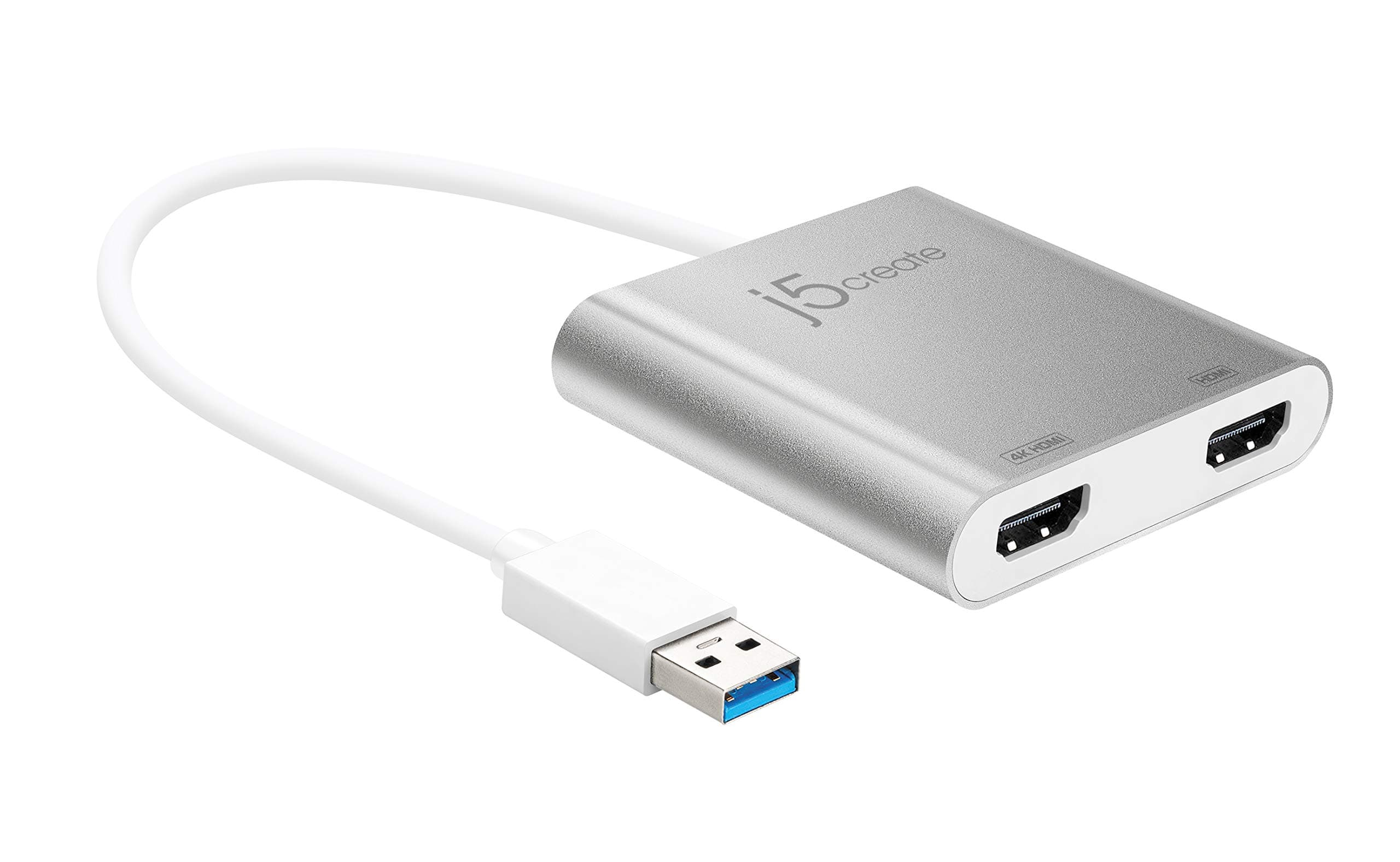
The j5create USB to HDMI Adapter (JUA365) is a sleek, matte-finished device that enables professionals to effortlessly add two external monitors via USB 3.0 and HDMI connections. Supporting 4K UHD resolution on one display and 1080p on the other, it offers hot-swappable convenience and broad compatibility with Windows and macOS. Perfect for multitasking in demanding environments, it eliminates the need for costly internal video cards, making multi-monitor productivity accessible and efficient.


| ASIN | B06XKWTXX9 |
| Best Sellers Rank | #43,108 in Computers & Accessories ( See Top 100 in Computers & Accessories ) #5,871 in Cables |
| Brand | j5create |
| Brand Name | j5create |
| Colour | Silver |
| Compatible Devices | Monitor |
| Connector Type | HDMI |
| Customer Reviews | 4.5 out of 5 stars 1,453 Reviews |
| Finish Type | Matte |
| Global Trade Identification Number | 04712795081251 |
| Input Voltage | 240 Volts |
| Item Dimensions | 31.8 x 7 x 1.1 Centimeters |
| Item Package Quantity | 1 |
| Item Weight Unit of Measure | 82 g |
| Item dimensions L x W x H | 31.8 x 7 x 1.1 Centimeters |
| Manufacturer | j5create |
| Model Number | JUA365 |
| Number of Ports | 3 |
| Power Plug Type | No Plug |
| Product Finish Type | Matte |
| UPC | 847626001840 |
| Unit Count | 1.0 Count |
S**N
Impressive performance
I recently purchased the j5 create USB to dual HDMI converter, and overall, I’m quite impressed with its performance. The device seamlessly handles a 4K resolution at 30fps on one HDMI port and 1080p at 60fps on the other. This dual functionality provides flexibility for various display needs. While the converter works flawlessly, the only downside is the price point, which may seem a bit steep considering it doesn’t support 4K on both HDMI ports. It would have been more cost-effective if both ports could deliver a 4K resolution. Despite this, if your usage aligns with its capabilities, the j5 create converter proves to be a reliable and efficient solution for dual-display setups.
V**H
Found a working one
Finally I found the right product . Which solves my USB 3.0 to dual monitor extender (not a splitter). This cost around 6k … there are so many fake or confusing products in the product up to 5k but they are not solving my problem. I am happy with the product
G**N
Nice Worked in my ubuntu also.
go to "www(dot)mct(dot)com(dot)tw/download(dot)php?lang=en&tb=1" download the instruction "Ubuntu driver for USB 3.0 Display Adapters" and install the "ubuntu22.04.4T6_240701.run". then worked. I am so happy
M**Y
Worked well in as-is plug and play mode in Windows 10
Pros Worked as-is in plug and play mode without driver. I installed the driver downloaded from j5create website, though, to be on safer side. I could 'extend' the displays to 1, 2, 3 monitors; one laptop display and two 27" Benq HD 1080 × 1920 monitors. Using the spare HDMI port on laptop a 4th display can be added and extended. Cons The listing on the website does not have the JUA365 model number. Had to identify with image. Only a generic name is given. The monitor sequencing is unintuitive. One need to 'Identify' and shuffle ports and / or icons on the windows settings... 4, 2, 1, 3; 1, 2, 3, 4; 3, 2, 4, 1... for cursor movement and tab control. One has to set the sequence to 1, 2, 3, 4... and select 'Apply' for right sequence for cursor movement from 1 to 3 or 4. Bottom line, works fine with little efforts. Sure, it is expensive and could be cheaper as it is in the market for quite sometime, but comparable to USD prices with added taxes.
K**I
Best best best just go for it
Return ni hoga to tensan mat lo bahot jabardast he.
A**I
Awesome
It’s work as I expected. Likely connected to 2 monitors and movement from 1-2-3 easily with good refresh rates.
Trustpilot
Hace 1 día
Hace 3 semanas