We remain fully operational. Our teams are working around the clock to ensure your deliveries continue safely.

Descargar la aplicación


Servicios al cliente
Sobre nosotros
Copyright © 2025 Desertcart Holdings Limited
Descargar la aplicación
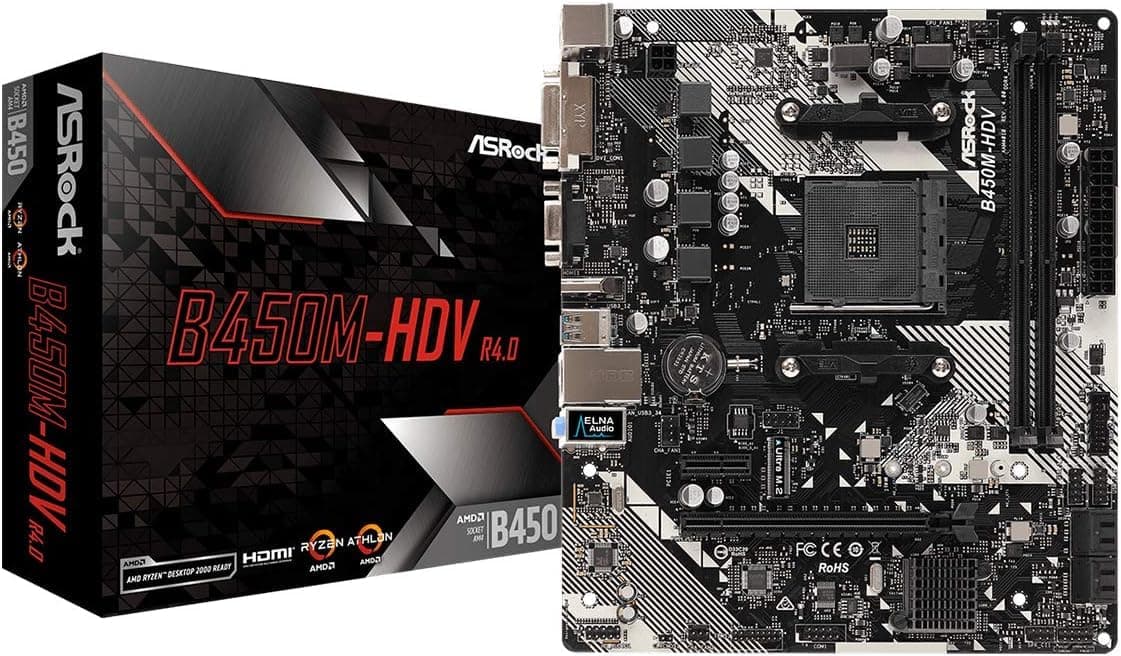

🚀 Power your productivity with the ultimate Ryzen-ready micro motherboard!
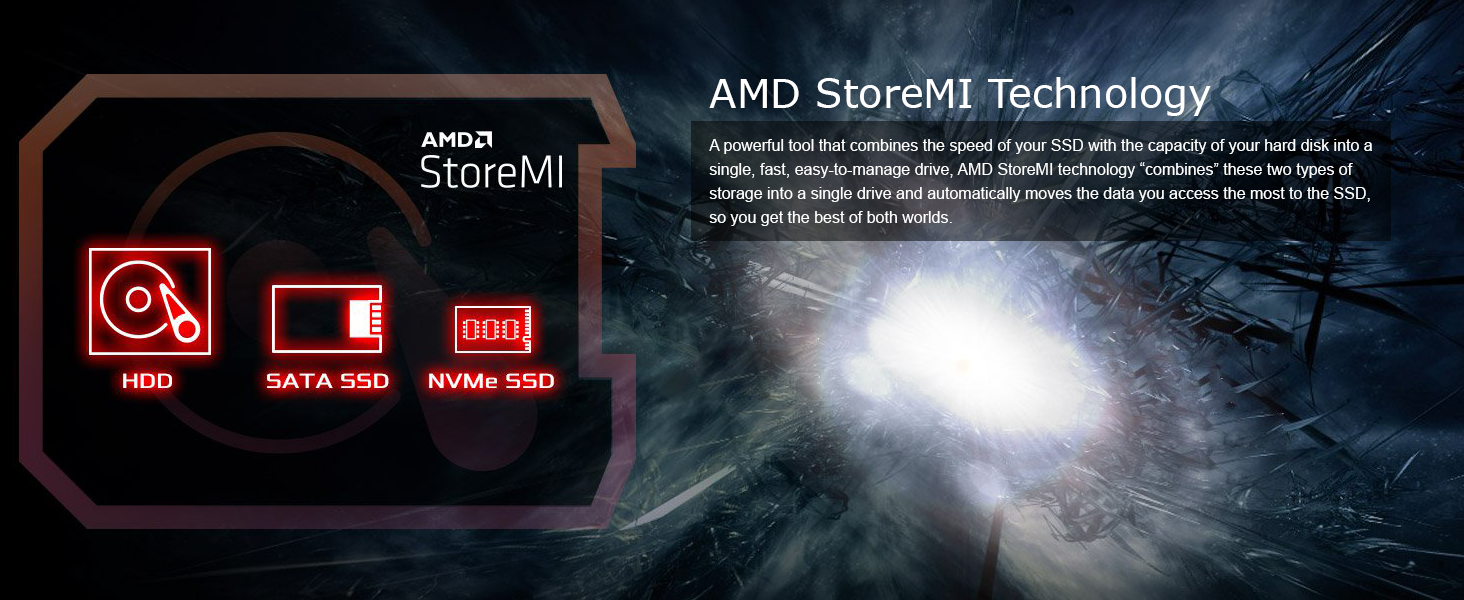
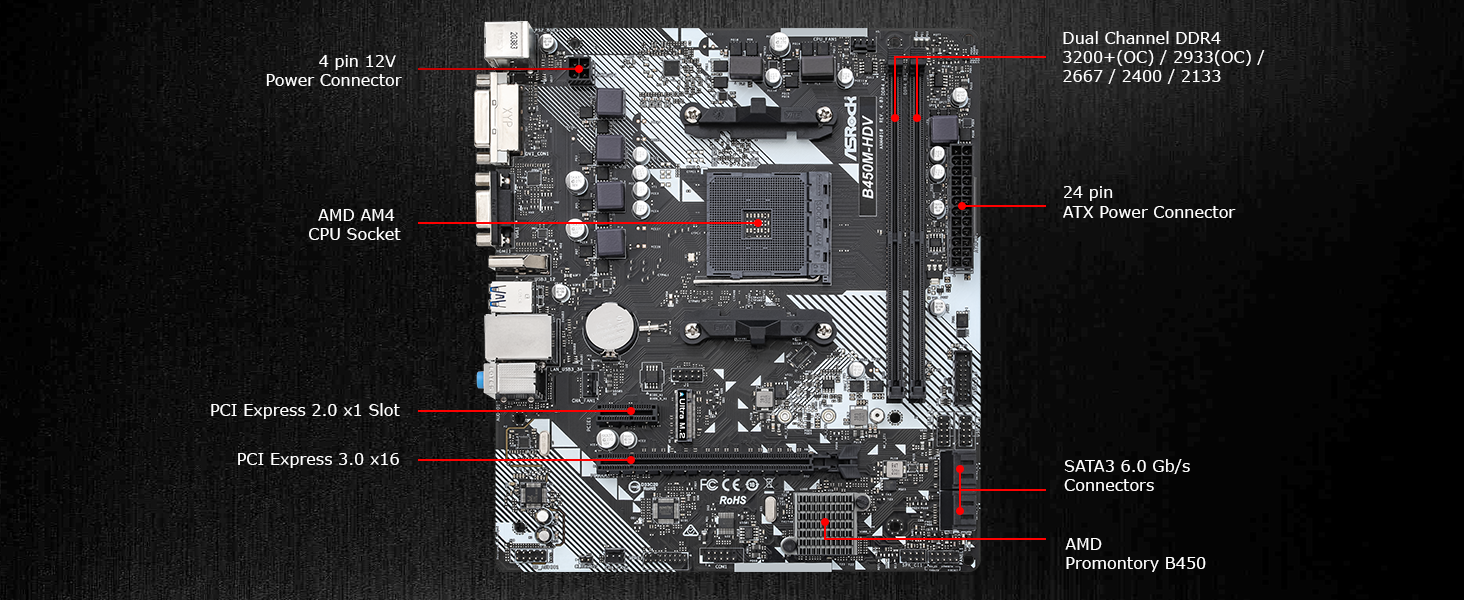
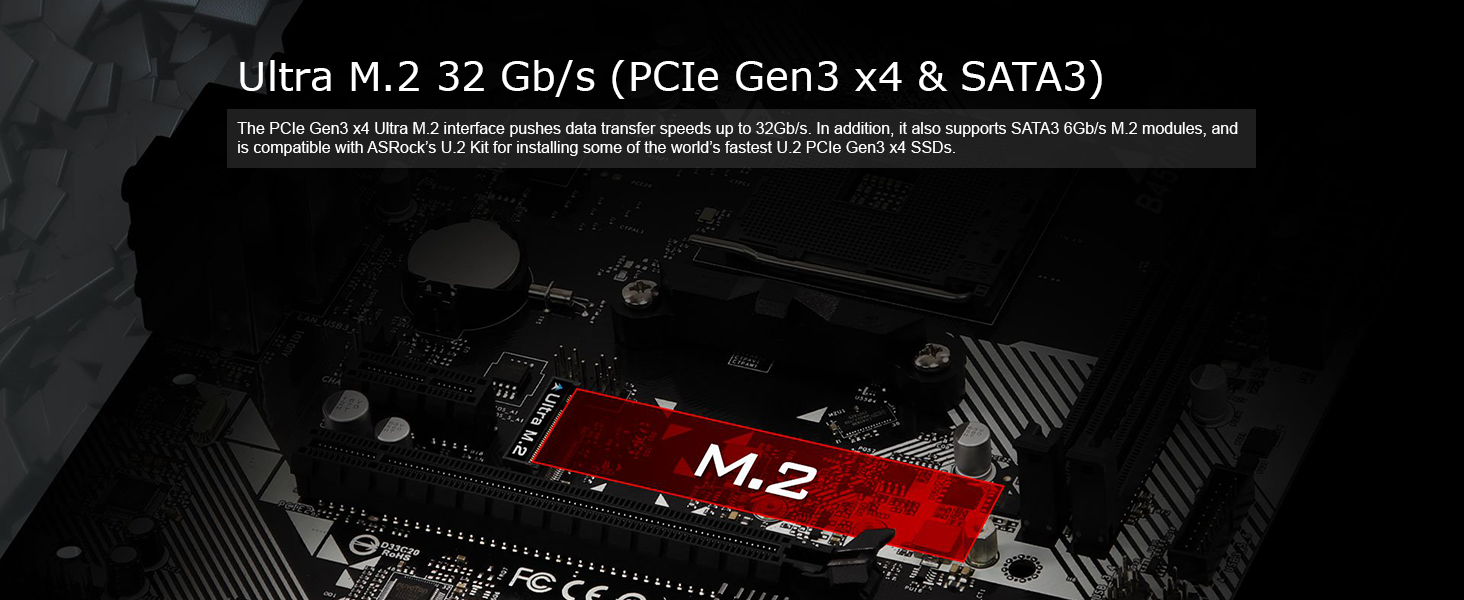
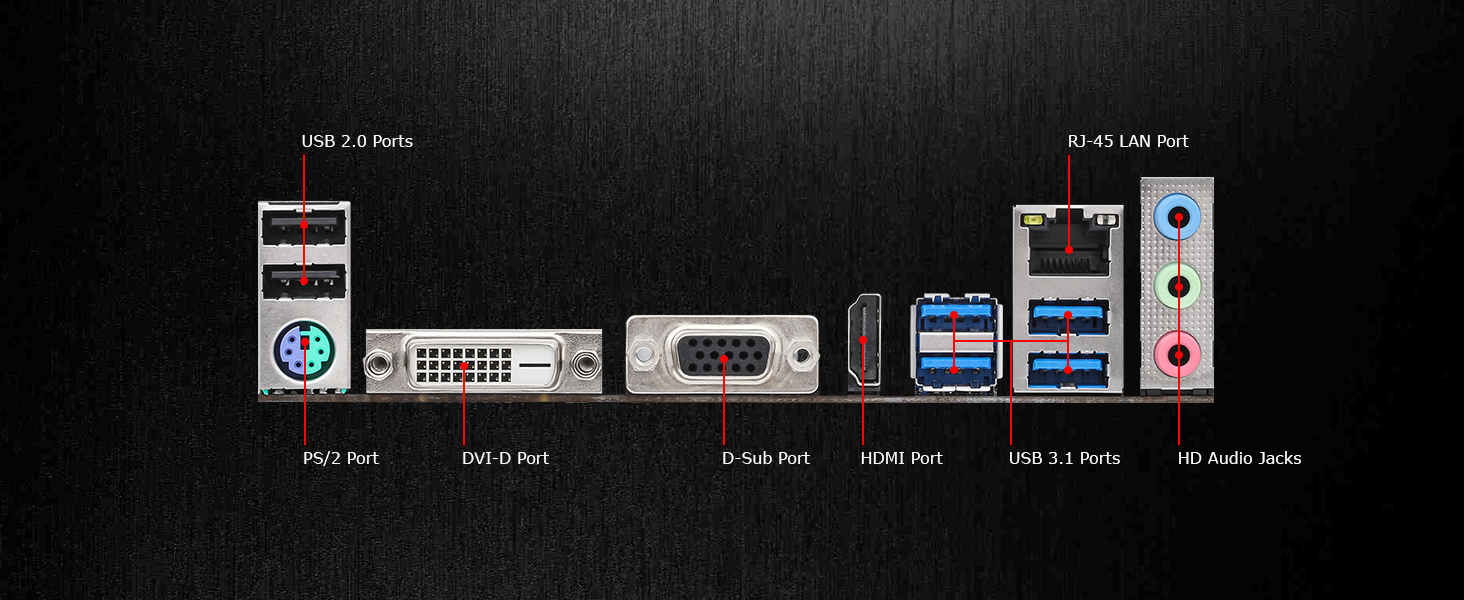
The ASRock B450M-HDV R4.0 is a compact Micro ATX motherboard designed for AMD Ryzen 2000 to 5000 series processors. It supports up to 64GB DDR4 RAM at 3200+ MHz, offers versatile graphics outputs (HDMI, DVI-D, D-Sub), and features advanced storage options including one Ultra M.2 PCIe Gen3x4 slot and four SATA 6Gb/s ports. With 6 USB 3.1 Gen1 ports and Realtek Gigabit LAN, it delivers reliable connectivity for professional and budget-conscious builds alike.
| ASIN | B07MWGKHR9 |
| Best Sellers Rank | #29 in Computer Motherboards |
| Brand | ASRock |
| Chipset Type | AMD B450 |
| Compatible Devices | Personal Computer |
| Compatible Processors | Ryzen 2000/3000/4000/5000 Series |
| Customer Reviews | 4.4 4.4 out of 5 stars (3,578) |
| Global Trade Identification Number | 04717677337617 |
| Graphics Card Interface | PCI Express |
| Item Dimensions L x W x H | 12"L x 2.5"W x 9.6"H |
| Item Weight | 730 Grams |
| Main Power Connector Type | 24-Pin |
| Manufacturer | Asrock |
| Memory Clock Speed | 3200 MHz |
| Memory Slots Available | 2 |
| Memory Storage Capacity | 32 GB |
| Model Name | B450M-HDV R4.0 |
| Model Number | B450M-HDV R4.0 |
| Number of Ethernet Ports | 1 |
| Number of Ports | 23 |
| Platform | Windows |
| Processor Socket | Socket AM4 |
| RAM Memory Technology | DDR4 |
| Ram Memory Maximum Size | 32 GB |
| S/PDIF Connector Type | Optical |
| System Bus Standard Supported | SATA 3 |
| Total Number of HDMI Ports | 1 |
| Total PCIe Ports | 2 |
| Total SATA Ports | 4 |
| Total Usb Ports | 8 |
| USB 2.0 | 2 |
| Warranty Description | 1 year |
K**E
Great and reliable
I’ve had this for about 6 months and I originally bought it to hold me over until I get a better board but this thing is actually really nice, I enjoy it being so cheap and also being a good size that would possibly fit a smaller build. It’s easy to use as well and it has a very simple and comfortable bios menu. I suggest that anyone looking for a budget motherboard that won’t break the bank but also provides a reliable build should buy this. There are a few small things I wish it had like Bluetooth and WiFi but thankfully the router is in my room so I can just connect my Ethernet. Another thing is that there’s only 2 Slot for RAM but keep in mind that you can always buy more powerful ram at a decent price so it’s honestly not a big deal. The board is great on power consumption and it’s fast so like I said. If you want that budget build that’s still going to hand you some good speed then this board is a good buy
C**S
Runs great! Even on older leftovers!
Got it for about $55 on sale here on Amzaon for a basic build with a cheap used AM4 2600 Ryzen 5 6 core I got on MarketPlace. Works great! No wifi but has onboard gigabit lan and an extra pci-e slot if you want to put a wifi card in or a 2.5 gb LAN card. Personally the usb 3.1 handles my TPLnk usb wifi adapter great. I was surprised it has onboard 7.1 audio but almost any graphics card will have better built in. Runs fine with 16 gigs of Corsair ddr4 2400 and an old Radeon video card I had laying around. Any new gpu will work but only at PCIE 3 speed. 1 M2 2280 gen 3 and 4 slot and 4 SATA connections will handle any storage configuration. Gen 5 M2 will work just not full speed. If you are on a budget, find a decent cheap used AM4 6 core, a 3060RTX or better gpu, a decent name brand Gold 750 power supply , at least 16 gigs of ram, a $20 120mm cpu cooler and throw it in a half decent Micro Atx or bigger case with a couple 120 mm or bigger fans, a 512 2.5" ssd or M.2 2280 and game your heart out.
C**H
Very good, for a basic board.
I had a prior build since early 2020, with an Antec PSU that shorted out recently and died with a bang, and in the process killed the motherboard (MSI). Fortunately, my M.2 NVMe Intel disc (with Windows 11 Pro) was intact, and I did not know then about the CPU (Ryzen 5 3400G Picasso) or RAM (16GB Crucial Ballistix 8GBx2). Typically, a PSU outputs first to the MOBO and CPU, and next to the RAM. Older memories were notoriously susceptible to current and used to die with the MOBO. Fortunately, things have gotten better. Antec was great in sending me a new replacement PSU under warranty. I needed a new replacement MOBO and wanted to stick with AM4 chipset without spending a lot. I found this board on Amazon at a great price, and the several positive reviews were encouraging. Throughout the years, I had always used MSI boards for my builds, except once (ASUS). This was my first experience with ASRock, and I am very pleased so far. The box I received states "AMD Ryzen Desktop 2000 Ready" and had an added sticker "AMD Ryzen 5000 Desktop Ready", and another "Windows 11 Ready". I imagine some (older) stock did not have the added (Ryzen 5000) sticker, which would explain some reviewers who had to update the Bios using an earlier generation CPU. When I received it, I did a minimal basic build outside the case, with the new PSU and tested my old CPU and RAM. It booted into BIOS and I was so relieved that the CPU and RAM were fine. I then put the Intel NVMe disc, placed the board in the case, hooked my old Plextor DVDRW, case fans and all the headers. Windows 11 Pro loaded up and all is good. The Bios/set up on this ASRock board is very easy to navigate and has a lot of 'AUTO' settings in the default parameters, and I only had to change few things. For the technically savvy, there are several settings you can adjust, but for most people, you will only need the boot menu, particularly for Win 11, and very few advanced configurations. I did not even use the included support CD. The box contains the MOBO, CD, Installation guide, 2 SATA cables, a small M.2 screw and the I/O shield. The guide and illustrations are very adequate. It has 2 DIMM slots (288 pin) and supports up to 64GB, 32GBx2, per ASRock. I bought new 32GB RAM (16GBx2) which was easily recognized. ASRock states for Picasso, the frequency is 2667/2933, but the new memory is 3200 and runs as such, with or without XMP. I am not a gamer and never overclock a CPU and don't use a discrete GPU anymore. It has on board USB2 (x2) and USB3 headers. The CPU connector is only 4 pin and if you have an 8-pin cable (4+4), you just split it. The MOBO is the standard 24 pin. There are 2 chassis fan connectors (4 pin and 3 pin), 4 SATA connectors, HD audio and a standard front panel system header. There is one M.2 and 2 PCI slots. The I/O shield is as shown (Single PS2, but supports Y-splitter, 2 USB2, 4 USB3, Gigabit LAN, rear audio, VGA, DVI and HDMI). It is a basic board (No WIFI, BT, M-Flash, USB C) and is very well priced. As such, I would recommend as a budget motherboard. Even though I am biased toward MSI boards (I guess force of habit), I will definitely keep this motherboard in mind. Thank you. I bought a second one to upgrade an older computer (Athlon A6 APU and FM2+ socket MOBO). It also had the Ryzen 5000 and Windows 11 ready stickers. Very satisfied, just like the first time. Recommend. Thank you.
D**R
It's bendy, like rubber. It's all DECENT with all compatible cpus and all BUT it took me a couple of weeks.. to notice that THE HEATSINK NEAR GPU BLOCKS THE CARD so i cant fit it correctly so THUS it wont work! i ordered a new PSU thinking that was the problem but no, it just cant fit. damn lousy design and cost me alot of money! never more will i buy AsRock. Nasties motherboard ive ever worked with! Next time, ill go asus!!!!!
J**L
Placa económica que cumple
D**L
Fantastic value for money ! Great starter motherboard for anyone looking to get into PC's. No mvme support but thats a trade off I was willing to take . Be careful of the size of your GPU due to it being a smaller sized board . Overall impressed with this , overclocking feature too which is rare to see at this price point.
B**U
Heel mooi product
H**S
Placa simples, sem dissipador nos VRMs, mas até que consegue empurrar uns monstrinhos; bem suficiente em conexões, gostei da localização das headers USB. Ela tem essa porcaria de trava única no barramento RAM, mas isso é tendência nesse range de placas básicas; a localização das entradas SATA é horrível, principalmente pra gabinete pequeno, deixei uns cabos conectados de antemão pra não passar raiva. Ela já vem com o espaçador encaixado pra M.2 (suporta NVME), o que é ótimo pra aventureiros, menos coisa pra errar. Tem o típico selo ELNA que a Asrock adora colocar, é um toque de marketing legal, mas na prática irrelevante considerando o codec modesto. Vale a pena, ainda mais em promoção.
Trustpilot
Hace 2 semanas
Hace 5 días